
Approval of visitor access to the outer and inner perimeter security
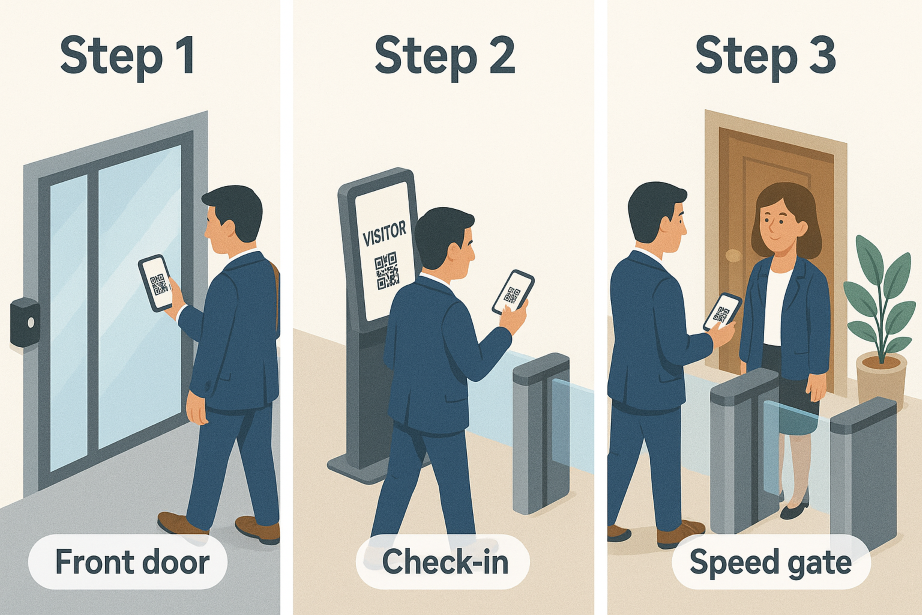
The visitor management system includes a feature we call “Second Approval” – approval for access to the inner perimeter security.
Step 1: The idea behind this feature is that a visitor is invited via the visitor management system and receives a QR code that works as an access card for the locked outer door.
Step 2: The visitor passes through the outer door and then checks in at a physical visitor kiosk or Mobile Kiosk in a reception or visitor area. At this point, the system can print a visitor badge, photograph the visitor (optional) and have the visitor sign agreements (optional) to complete check-in.
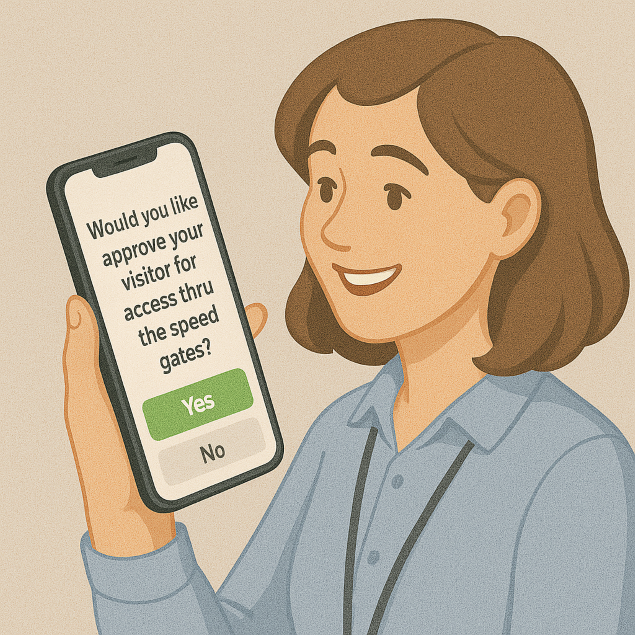
Step 3: When the visitor has completed check-in, the host receives an SMS saying that the visitor has arrived and checked in in accordance with the applicable visitor policy. The SMS contains a link where the host can approve the visitor for access through the inner perimeter security – often a locked door or speed gates – and add a personal message to the visitor. When the host approves the visitor, the visitor receives an SMS confirming that they have been approved for access through the inner perimeter security, together with the personal message.
The purpose of this feature is to give hosts a simple way to let familiar visitors through the inner perimeter security, to create traceability of visitors’ access to different areas and to make things easier for visitors who know where they are going.