
Release notes – CavVisit
- Home
- Release notes
Release Notes
Release notes for the CavVisit visitor management system
Here you can read about new functionality introduced in updates to the automatic visitor management system CavVisit.
We are happy to show you all the features
Want to know more about the system’s features? Contact us today for a demonstration!
Release notes – CavVisit visitor management system version 2.2
CavVisit continues to evolve, and this version focuses on security and stability.
New Enterprise Kiosk API
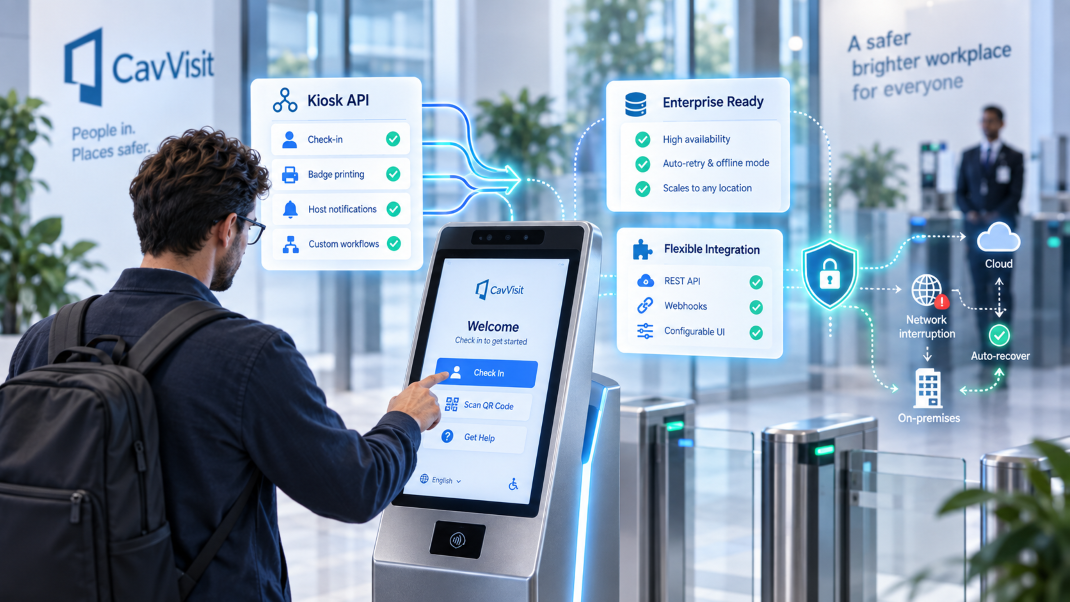
We have updated the Enterprise Kiosk (a visitor kiosk with advanced visitor functionality) with a new API. This makes the Enterprise Kiosk more stable, more flexible and more tolerant of network disruptions. The idea behind the new solution is to give our customers an Enterprise Kiosk that can cope with tougher IT environments with higher security requirements and handles network disruptions more smoothly.
Login with your own IdP
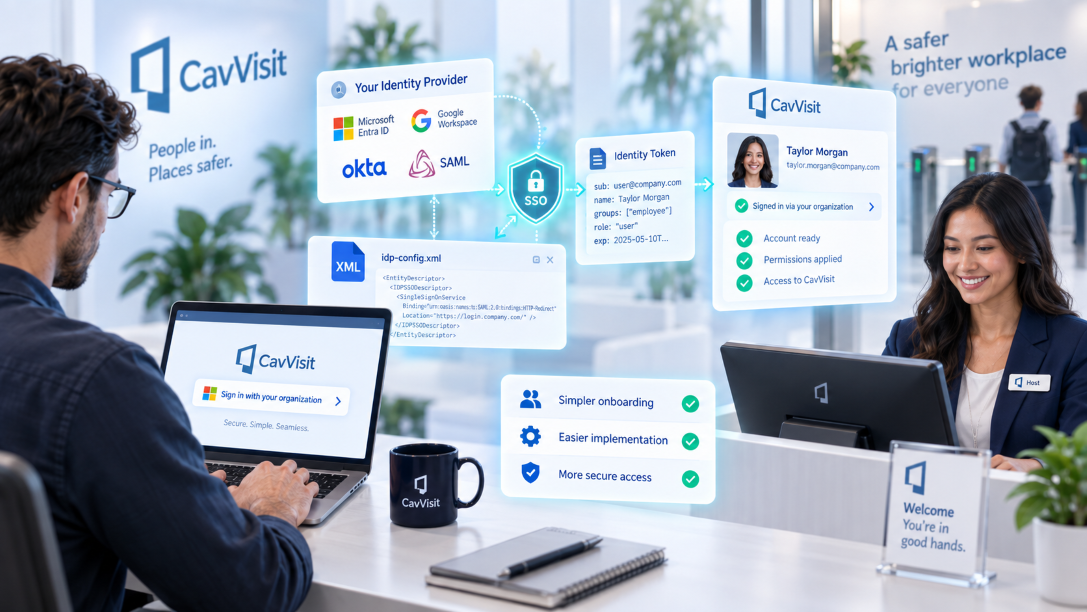
We have now updated CavVisit’s support for login via your own IdP so that introducing this functionality is much smoother. With a new way of importing structured XML files, our customers can now use their own IdP (Identity Provider) to log in as users and hosts in CavVisit.
RESTful API commands for creating users
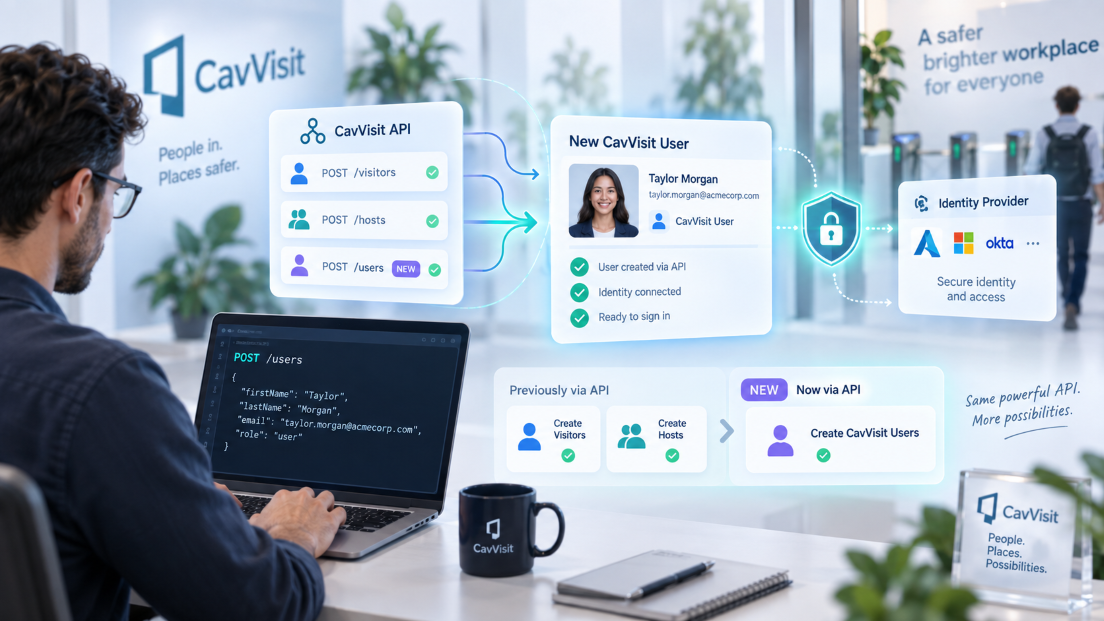
New API commands make it possible to create users in the visitor management system. Previously, visitors and hosts could be created via the REST API; now the users themselves can also be created. The purpose of this feature is to let security-sensitive customers create CavVisit users via the API together with their unique identity, which can then be used for login, for example via their own IdP (Identity Provider). The user’s unique identity is often linked to a field called UDP (User Defined Profile).
Updated Excel import
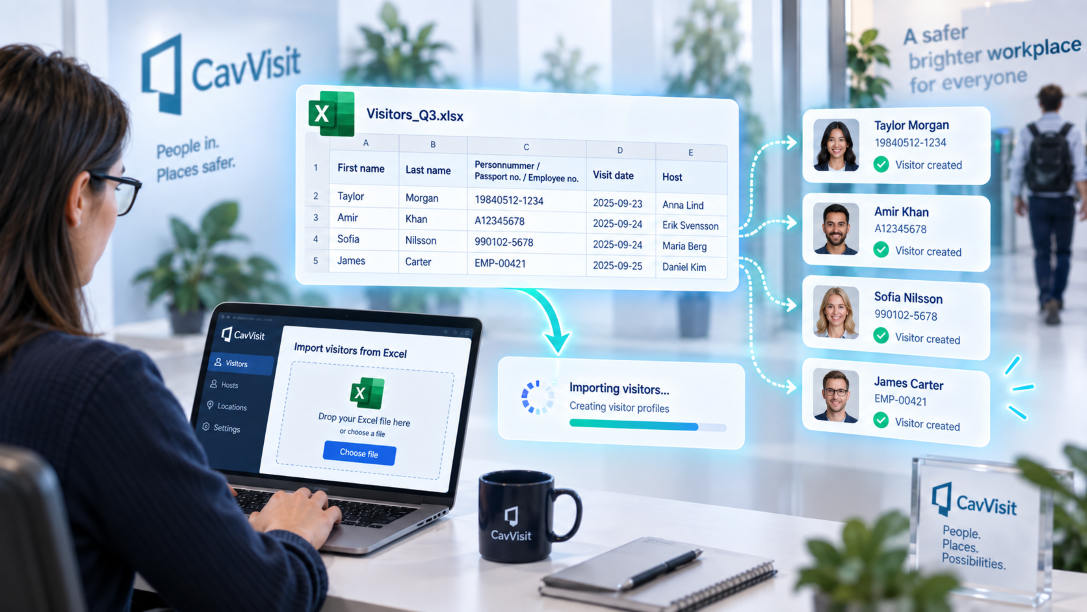
When importing visitors via Excel, we have added the field Personal identity number. This field can contain a Swedish personal identity number, but also other types of personal numbers, such as passport numbers, employee numbers and more.
Queue in the Mobile Kiosk
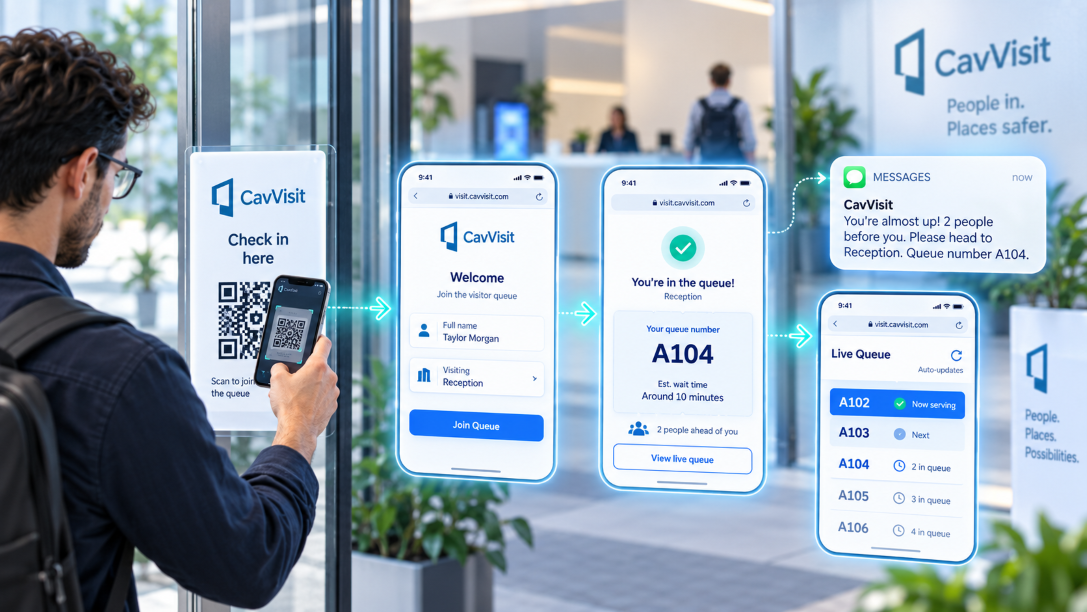
We have now introduced the option to join a queue via the Mobile Kiosk. A visitor can now get a queue ticket through the Mobile Kiosk. This means a QR code can be put up, for example outside a visitor area, where visitors scan the QR code, open the Mobile Kiosk and join a queue. Two numbers before it is the visitor’s turn, an SMS is sent to let them know their turn is coming soon, together with a link showing the current queue number.
New CavVisit service – CavVisit Outbox Server
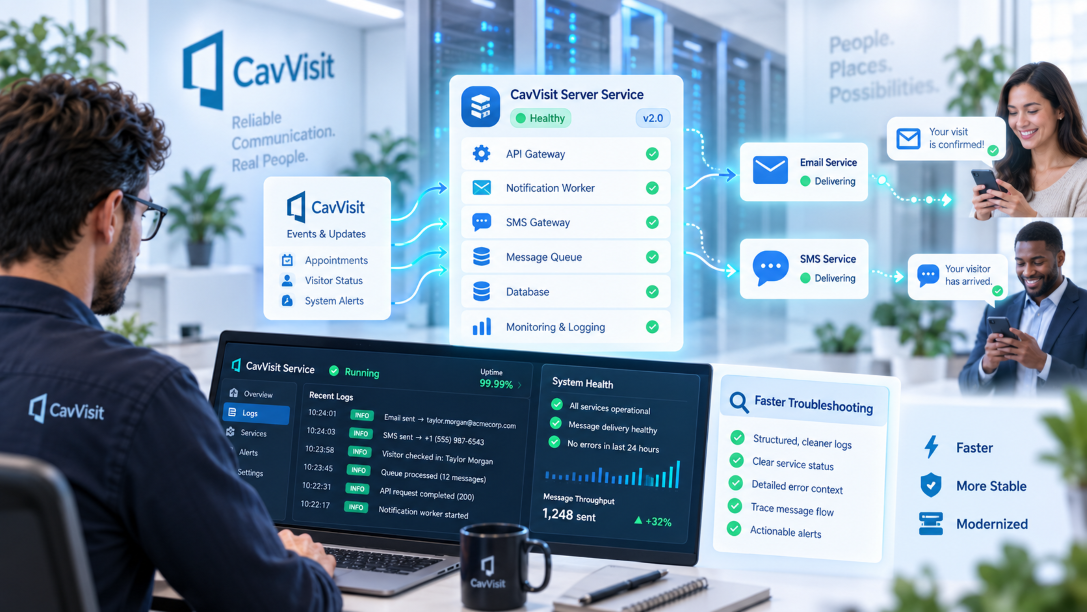
CavVisit Outbox Server was previously called CavVisit Server; we have renamed it to make it clearer what the service does. CavVisit Outbox Server is the service responsible for sending email and SMS on various occasions. The service has now been completely rebuilt with a new architecture, new technology, extended logs and updated components. This makes it faster and easier to troubleshoot. The new service is part of our development strategy of retiring outdated components and keeping the CavVisit platform modern and stable.
Translation portal for all new web services – support for every language
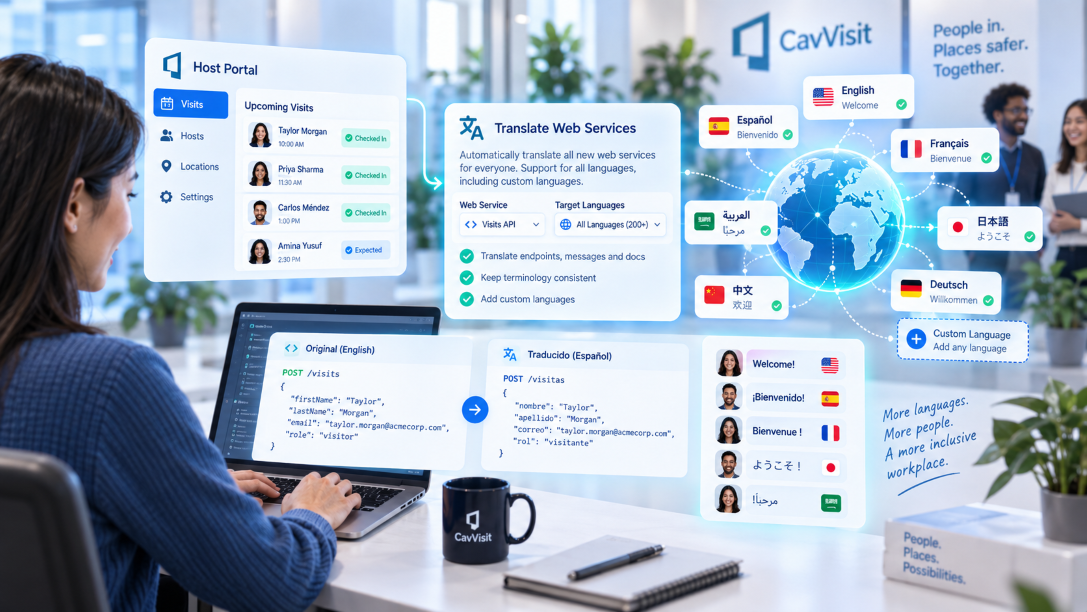
We have developed a translation portal that will translate all our web services. With the translation portal, we will be able to translate all our web-based services into any language.
To begin with, the translation portal will be connected to our Host Portal – the web service where hosts log in to book and manage their visits.
Extended logging
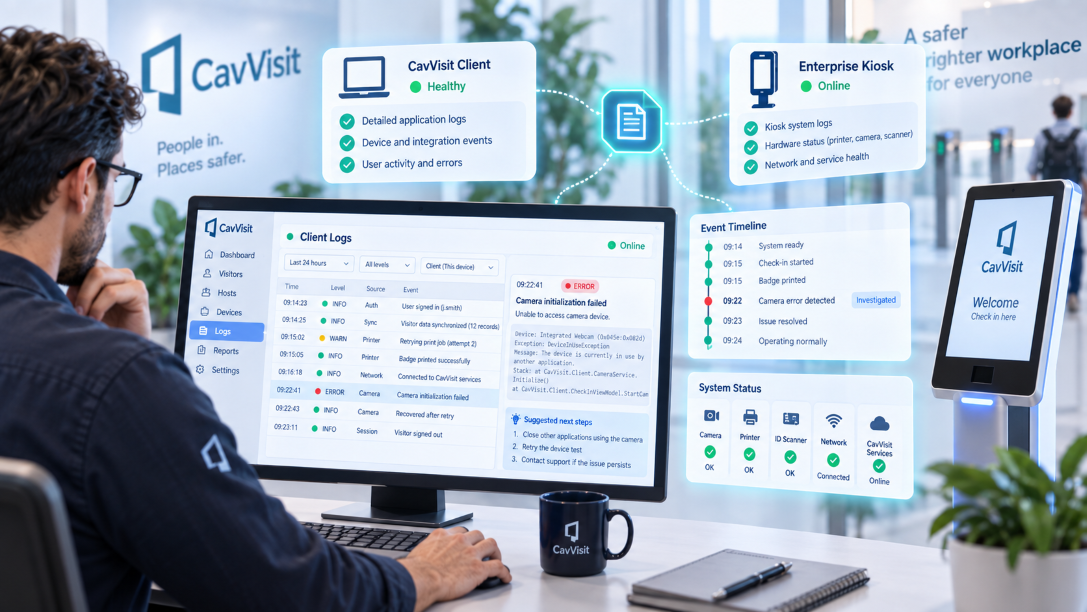
Logging in the CavVisit client and the Enterprise Kiosk has been extended further.
Bug fixes
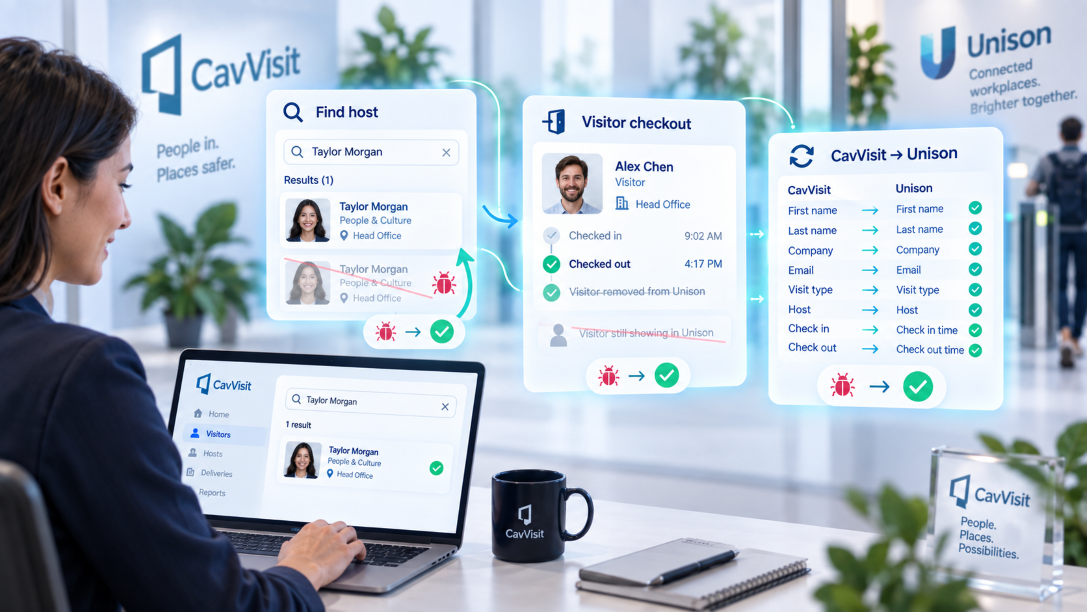
Bug fixes:
- “Find host” showed duplicate results. This has now been fixed.
- Unison integration – an error where visitors were not removed from Unison at check-out has been fixed with an updated CavVisit GDPR Checker service, v1.4.4.0.
- Unison integration – the correct field was not populated when exporting visitors from CavVisit to Unison. This has been fixed in a new version of the UnisonVisit Server service, v1.4.4.0.
- Plus other minor bug fixes and performance improvements.
Release notes – CavVisit visitor management system version 2.1
CavVisit has undergone, and is undergoing, one of its biggest changes since the platform was created. We are leaving version 1.8 and moving to 2.1, where the number 2 highlights the major change the visitor management system has gone through. We are continuing on the same journey, and many more innovative features and security updates will follow.
Mobile Kiosk 2.1
The popular Mobile Kiosk (a visitor kiosk that visitors reach by scanning a QR code with their mobile phone) has been updated with several new features, new frameworks and improved graphic design options.
The Mobile Kiosk can now be customised with different images, videos, fonts, font colours, font sizes and placement in most parts of the visitor processes. The purpose is to further showcase the customer’s visual identity and to adapt the Mobile Kiosk even better for people with disabilities.
Together with the updated Mobile Kiosk, we have also updated the API that the Mobile Kiosk uses, making it faster and more secure.
Dynamic QR codes for secure access
Dynamic QR codes are used in visitor management systems to give access through doors and speed gates. Dynamic QR codes prevent a QR code from being copied and sent to another person to gain access.
When a visitor registers via a physical visitor kiosk or the Mobile Kiosk, the system sends the visitor a dedicated link containing a dynamic QR code.
The dynamic QR codes are used to open doors, speed gates and barriers in a secure and controlled way.
CavVisit Admin Client 2.1 – user groups and logging
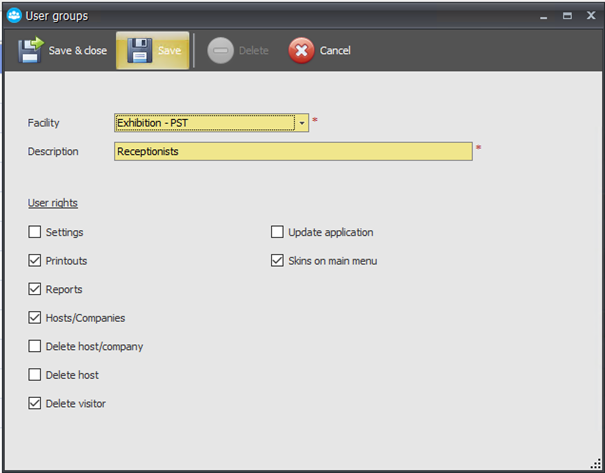
The new CavVisit Admin 2.1 client contains several improvements and updates.
Logging has been extended further to make traceability clearer and better.
The user group interface has been updated, making it easier to manage user groups.
CavVisit Admin Client 2.1 – booking number in the main interface
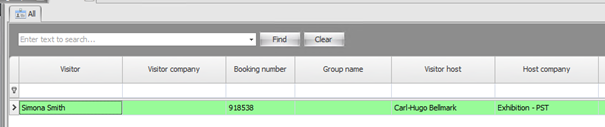
The new CavVisit Admin 2.1 can now show the booking number by default in the main interface for receptionists, administrators and security guards.
CavVisit Admin Client 2.1 – copy fields in the main interface
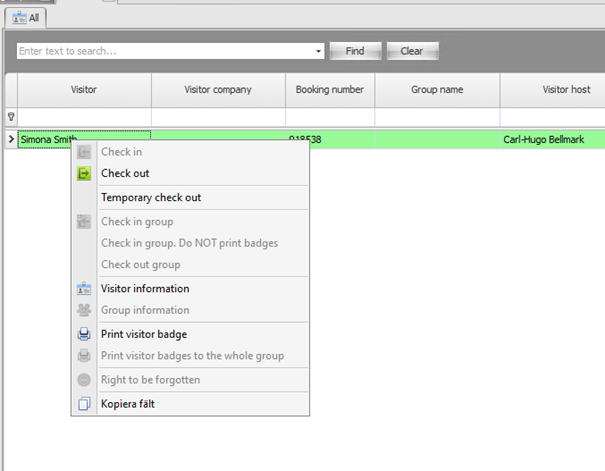
Receptionists, administrators and security guards can now copy any field in the main interface by right-clicking the field and selecting Copy. The purpose of this feature is to make it easier to copy visitor details for use in, for example, queue systems or telephone switchboards.
CavVisit Admin Client 2.1 – translation of months
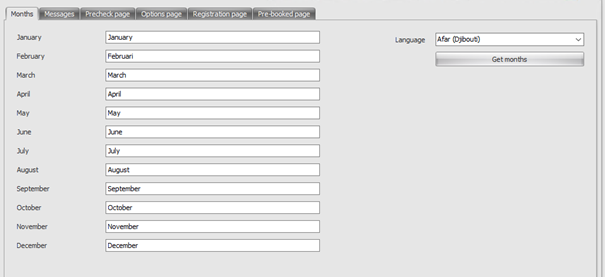
Ahead of an upcoming version of the next-generation CavVisit visitor management system, we have added translations of month names.
Updated RCO and SSG integration

In version 2.1, we have further automated the checks of the validity of SSG training and the checks for multiple/overlapping visits. The purpose is to reduce errors and automate complex visit structures.
Release notes – CavVisit visitor management system version 1.8
Extended time zone handling
We have extended time zone support in several parts of the CavVisit visitor management platform. Organisations that want to use CavVisit across several time zones can now do so without any problems.
Release notes – CavVisit visitor management system version 1.7
Updated AD integration
The integration with Windows Active Directory has been updated to increase security and stability.
New apps in Entra ID for the Outlook integration and for sending email via Office 365
New Enterprise apps for sending email from your CavVisit site (tenant) and for the MS Outlook integration.
These use the MS Graph API and RBAC for extra protection and security.
Enterprise Kiosk update
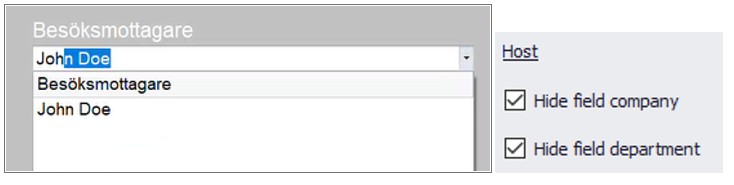
Option to hide the company and/or department column in the host drop-down list
Extended automatic logout after inactivity in CavVisit
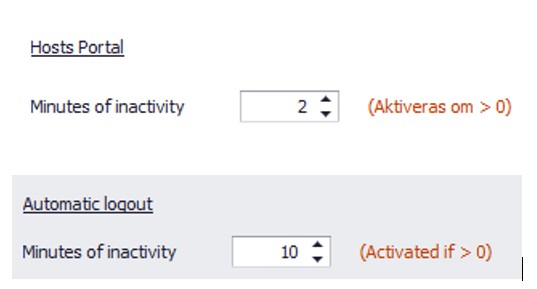
Extended options for deciding when CavVisit should automatically log the user out after a set period of inactivity.
This applies both to users in the Host Portal (hosts who pre-register visitors) and to the CavVisit Admin client, where receptionists and system administrators work.
Extended logging of user activity in the CavVisit client
The extended logging follows the NIS2 and ISO 27001 frameworks for logging and traceability more clearly than previous versions.
Option to show personal identity numbers in the visitor list in the CavVisit client

The new personal identity number field is a special field that makes it possible to use personal identity numbers securely. Administrators and receptionists can also search by personal identity number in the CavVisit Admin client to find a visitor quickly.
Further updates in CavVisit 1.7
- Several performance improvements have been made.
- Several security updates have been made.
- New fields have been added for new integrations.
- Several bug fixes have been made.
Release notes – CavVisit visitor management system version 1.6
Check out visitors via SMS
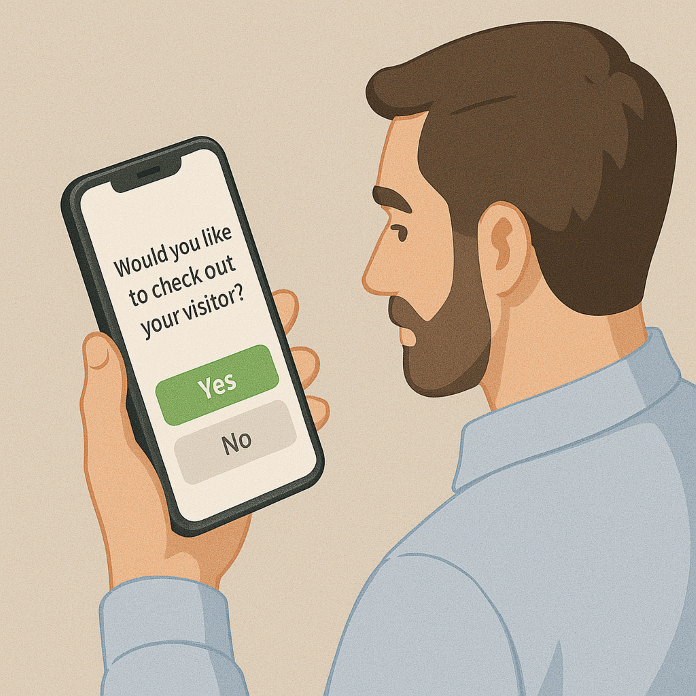
CavVisit v1.6 includes a feature that lets hosts check out visitors who forgot to check out when they left the meeting location after the meeting ended.
After a meeting has ended, visitors often forget to check out on their way out, which means the visitor management system and its administrators believe the visitor is still on site. This creates a security problem, as the visitor list contains people whom the system and its users believe are on site when they have in fact left the premises without checking out.
With the new Check-Out-By-Host feature, the system looks for meetings whose time has expired but where the visitor has not checked out. The system then automatically sends an SMS or email to the host, saying that the meeting has ended and asking whether they want to check out their visitor. The SMS contains a link to the “Check Out Visitor by Host” web service, where the host can check out their visitor – keeping the system up to date and security intact.
The purpose of this feature is to increase security on site and ensure that those responsible always know which visitors are on the premises.
QR code for the outer and inner perimeter security
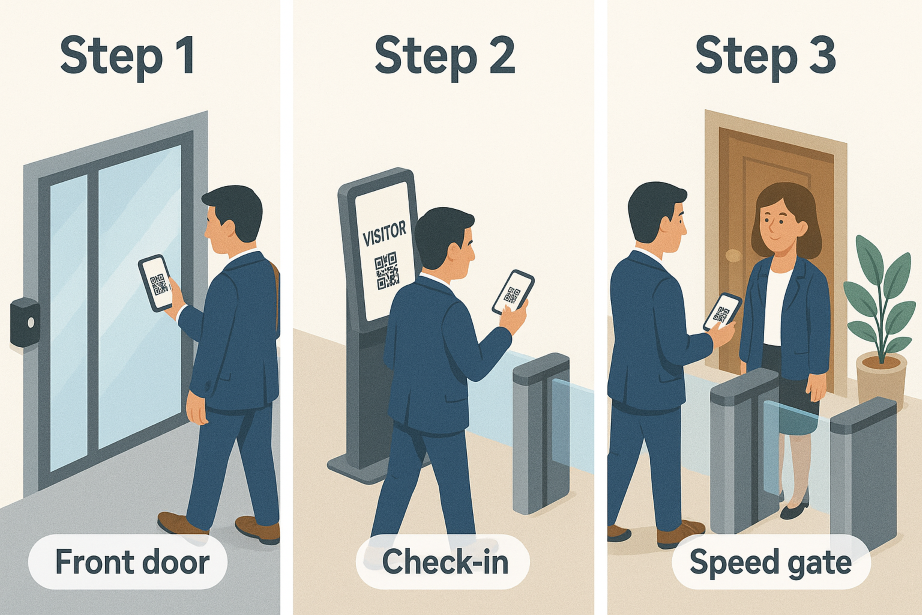
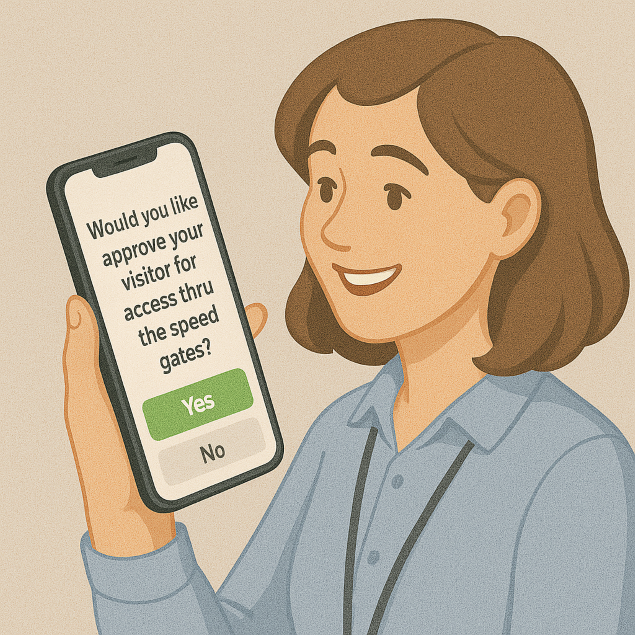
CavVisit 1.6 introduces the feature we call “Second Approval” – approval for access to the inner perimeter security.
Step 1: The idea behind this feature is that a visitor is invited via the visitor management system and receives a QR code that works as an access card for the locked outer door.
Step 2: The visitor passes through the outer door and then checks in at a physical visitor kiosk or Mobile Kiosk in a reception or visitor area. At this point, the system can print a visitor badge, photograph the visitor (optional) and have the visitor sign agreements (optional) to complete check-in.
Step 3: When the visitor has completed check-in, the host receives an SMS saying that the visitor has arrived and checked in in accordance with the applicable visitor policy. The SMS contains a link where the host can approve the visitor for access through the inner perimeter security – often a locked door or speed gates – and add a personal message to the visitor. When the host approves the visitor, the visitor receives an SMS confirming that they have been approved for access through the inner perimeter security, together with the personal message.
The purpose of this feature is to give hosts a simple way to let familiar visitors through the inner perimeter security, to create traceability of visitors’ access to different areas and to make things easier for visitors who know where they are going.
Visitor photos – photo feature
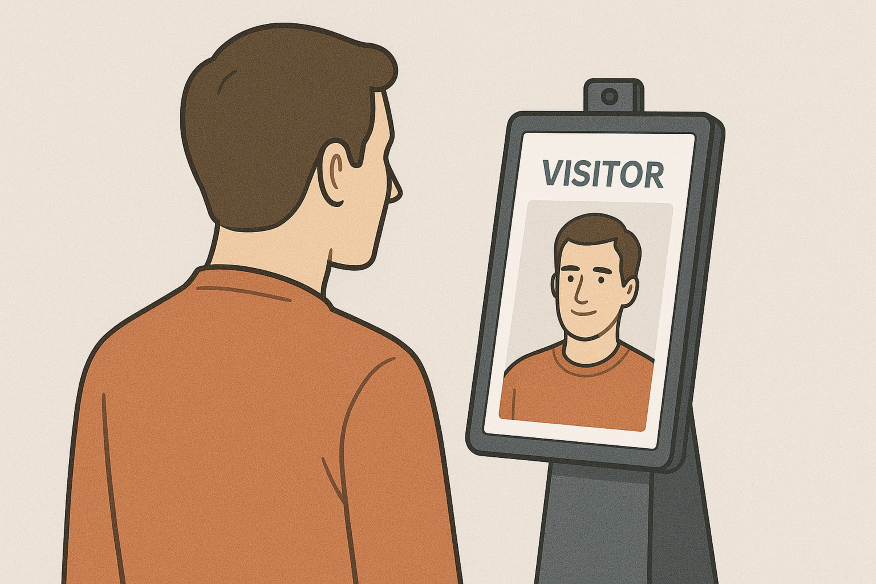
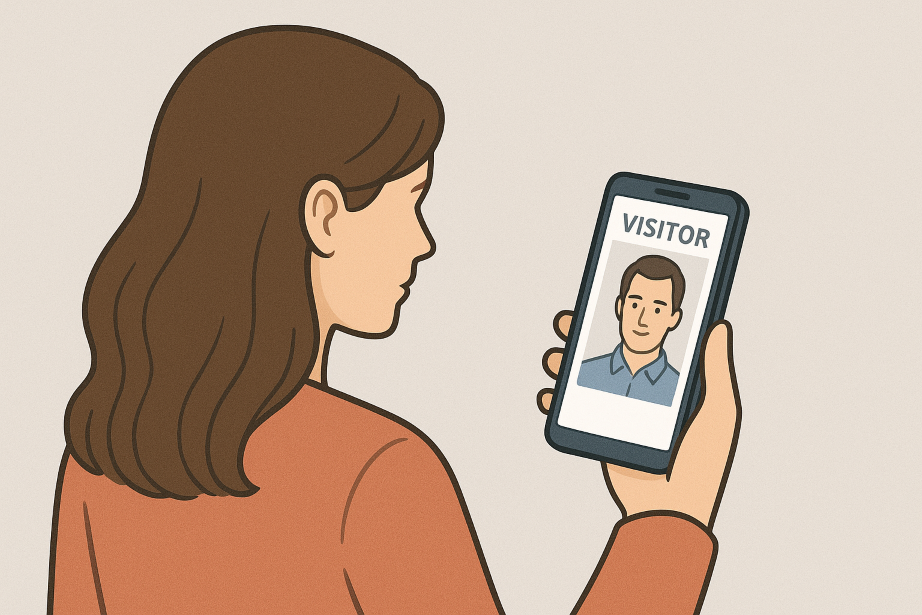
With the new photo feature, visitors can take a photo of themselves when they check in at the visit location. Once the visitor has checked in, the host receives an SMS with a link to the photo, so the host can see what the visitor looks like.
The purpose of this feature is to let hosts see what their visitors look like if they do not already know them. The feature is also used to extend the log of what the visitors on site look like and to provide a record that can be used in the event of security-related incidents.
The photo of the visitor is then handled in accordance with the visitor management system’s GDPR rules.
Integration with Extreme Networks Wi-Fi

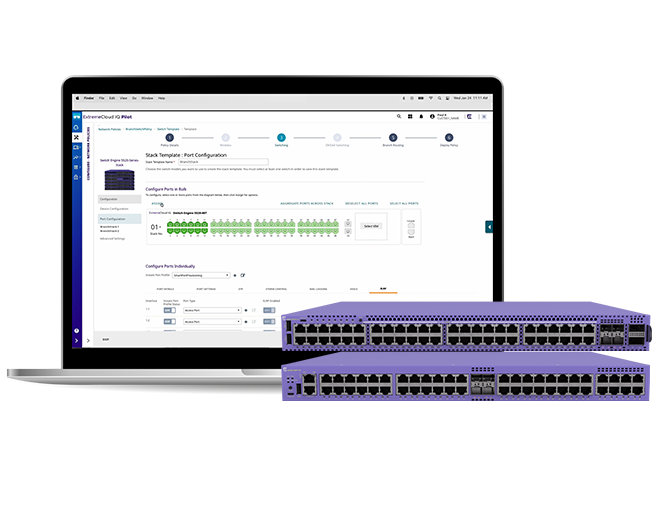
The Extreme Networks Wi-Fi integration makes it possible for every visitor to receive individual login credentials for your Extreme Networks guest network. This allows customers using Extreme Networks Wi-Fi to ensure that every access to the guest Wi-Fi network is time-limited and can be traced back to individual visitors.
The Wi-Fi credentials are either printed on the visitor badge or sent to the visitor by SMS. The credentials are time-limited according to the length of the meeting. The Extreme Networks Wi-Fi credentials are activated at check-in and deactivated at check-out.
In CavVisit Cloud, each site can have its own unique Extreme Networks credentials for requesting Wi-Fi credentials for visitors and contractors.
Benefits for CavVisit Cloud customers: customers with Extreme Networks Wi-Fi can now restrict Wi-Fi access and use individual guest codes instead of one shared code. Each code can be traced, so you know which visitor generated which network traffic and can prevent unauthorised traffic. The feature also reduces the risk of evil twin attacks, as it becomes known that credentials must be used. An evil twin attack is a type of man-in-the-middle (MitM) attack in which a fake Wi-Fi network is set up to steal information or further infiltrate a connected device. This often happens in public environments, where people are most likely to look for or connect to freely available Wi-Fi.
Further updates in CavVisit 1.6
- Several performance improvements have been made.
- Several security updates have been made.
- New fields have been added for new integrations.
- Several bug fixes have been made.
Release notes CavVisit 1.5
Extended integration with RCO
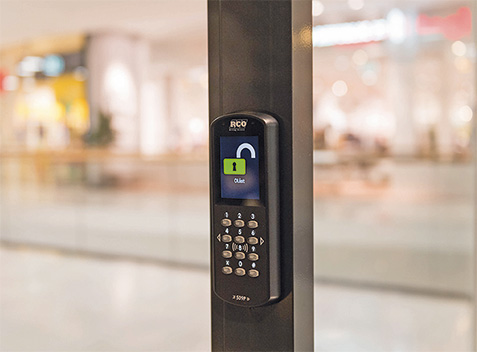
The biggest news in version 1.5 is the extensive expansion of the integration between the CavVisit visitor management system and the RCO security system.
RCO’s customers can rest assured that they can make full use of the investments they have made in their security installation and benefit from PartnerSec’s ground-breaking visitor management system together with a deep integration with RCO.
We have built a deep integration with the RCO M5 Admin API and added a number of new features. If you would like to know more about the extended integration with RCO, contact PartnerSec and we will tell you more.
Integration with SSG
The CavVisit visitor management system is now fully integrated with SSG. With the SSG integration, CavVisit can check that visitors meet the SSG requirements that the site places on its visitors.
CavVisit automatically checks that all SSG requirements are met and then guides visitors correctly on site so that all requirements are fulfilled.
If a visitor has the right qualifications according to SSG and is approved as a visitor on site, CavVisit automatically registers the access card in RCO (or another connected access control system) so that the visitor can use their access card on site for the duration of the visit.
Release notes CavVisit 1.4
Assistant booking – book and manage meetings on behalf of others
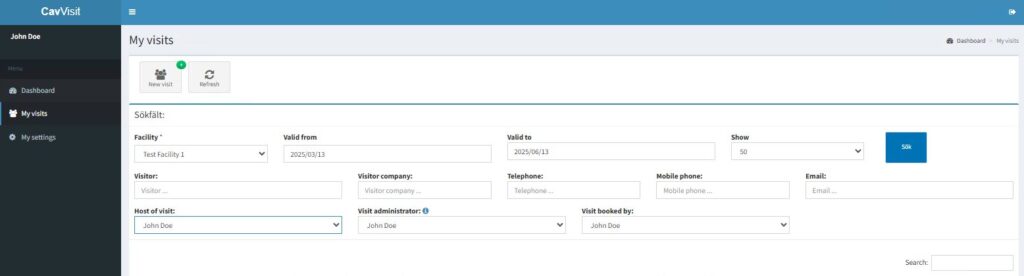
The biggest news in version 1.4 is the Assistant booking feature. With assistant booking, staff who book a lot of meetings can also book meetings on behalf of each other or others.
The feature is designed, for example, for a group or team of people who work together and book many meetings. The feature can then be enabled so that they can see each other’s meetings, change each other’s meetings, book meetings for each other and so on.
The feature is also designed for assistants to a management team or to people in senior positions who do not book their own meetings but have one or more people who book meetings for them.
The benefit of this feature is a big increase in flexibility and availability for staff whose job includes booking meetings.
Updated 2FA for the Host Portal and Admin Portal
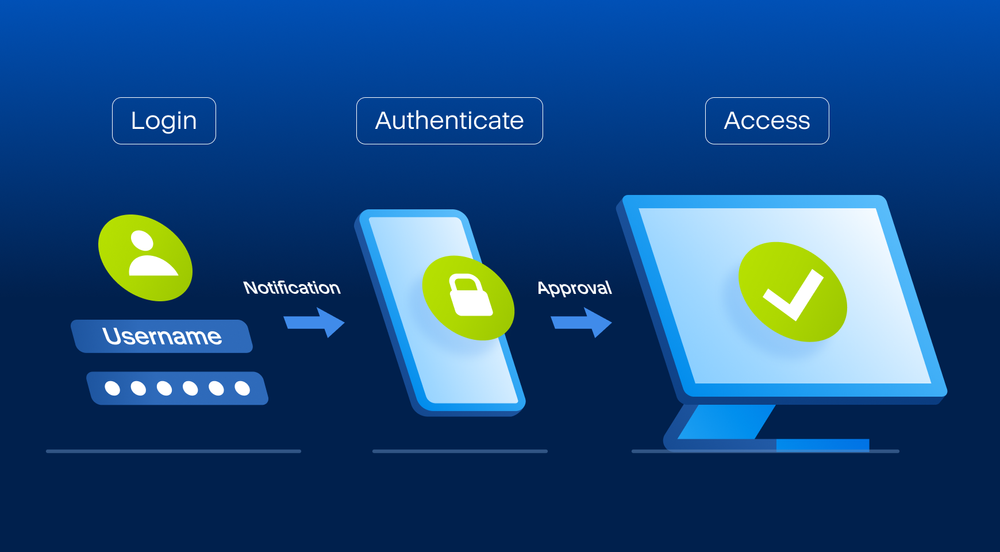
In this version, we are launching an updated 2FA (two-factor authentication) for the CavVisit visitor management system. With the new 2FA module, you as a system administrator can choose which users should log in with 2FA and whether the codes should be sent by SMS or email.
With the updated 2FA module, user login becomes more secure, as it is no longer tied only to a user ID and password but also to a code.
The 2FA process is simple. A user logs in to the system with their user ID and password, and a window appears asking for a code, a so-called OTP (one-time password). The system sends a one-time code to the user by SMS or email, the user enters the code in the OTP window and is then logged in.
How do you get started with the updated 2FA module? Get in touch with your PartnerSec contact and we will help you.
New agreement management – full NIS2 support

In CavVisit, a visitor can accept one or more agreements as part of their registration process when visiting a company, public authority or organisation. These agreements are often visitor policies, non-disclosure agreements, rules for being on site and much more.
With the new agreement management, we log all agreements, and once they have been signed by a visitor they cannot be changed. The idea behind the new feature is that agreements are constantly developed and updated, so it is especially important to know which agreement or agreements were in force when a visitor accepted them.
Once an agreement has been accepted by a visitor, it cannot be changed. To change an agreement, a new version must be uploaded and an administrator must choose to replace the old agreement with the new one. The system has then logged which versions of the agreements a visitor has already accepted.
The new agreement management thus provides full traceability and gives our customers a tool that complies with laws and regulations, including NIS2.
Updated translations
We have corrected a number of incorrect translations (Swedish, English) in the system.
Further update in 1.4
- Several performance improvements have been made.
- Several security updates have been made.
- Several bug fixes have been made.
Release notes CavVisit 1.3.4.12
Integration with LINK Mobility

Integration with LINK Mobility for sending SMS and priority SMS. SMS sent via LINK Mobility can use any sender name, a so-called “Sender ID”.
SMS sent via LINK Mobility can also be tracked in the visitor management system to see whether they have been delivered. SMS via LINK Mobility are sent as priority traffic, which means they often arrive faster than SMS sent the usual way.
LINK Mobility is Europe’s leading provider of mobile communications. LINK Mobility is a Norwegian company with offices in several countries. Read more here: LINK Mobility
Integration with UniFi Ubiquiti
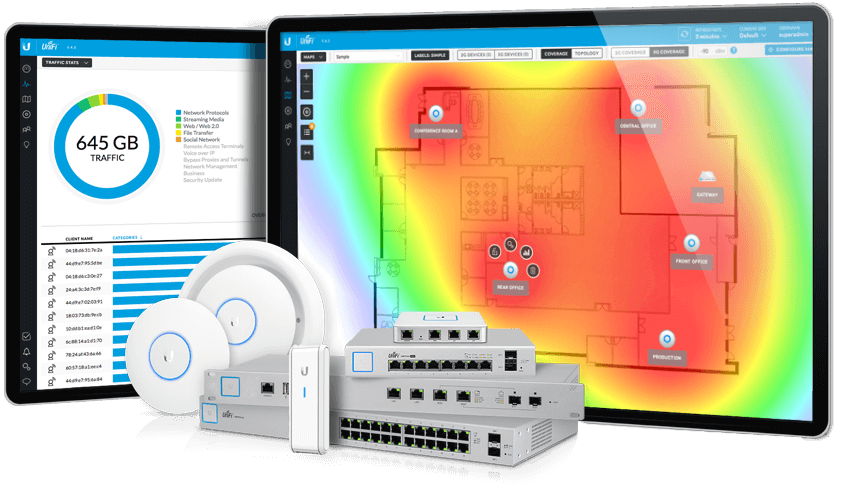
The Ubiquiti Wi-Fi integration makes it possible for every visitor to receive individual, traceable codes for the company’s guest Wi-Fi. This allows companies using Ubiquiti Wi-Fi to ensure that every access to the Wi-Fi network is time-limited and can be traced back to individual users.
The Wi-Fi credentials are either printed on the visitor badge or sent to the visitor by text message. The credentials are time-limited according to the length of the meeting. The Ubiquiti credentials are activated at check-in and deactivated at check-out.
The benefit for CavVisit customers with Ubiquiti Wi-Fi is that they can now restrict Wi-Fi access and use individual codes instead of one shared code. Each code can be traced, so you know which user generated which traffic.
New feature – shortcut to host contact details
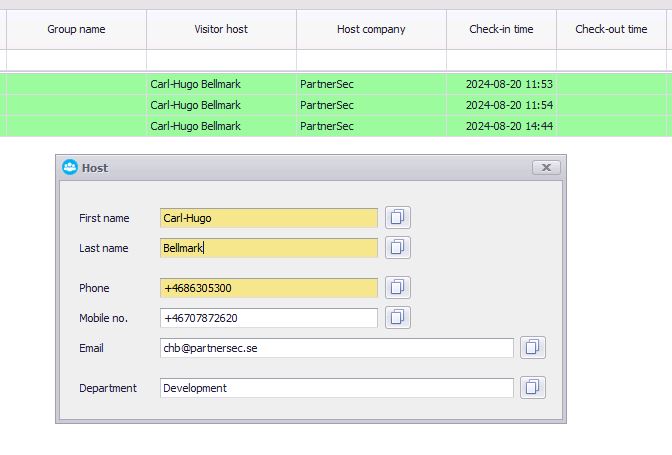
By double-clicking the host’s name in CavVisit’s administrative interface, staff can see the host’s contact details.
Each field has a copy function, so staff can easily copy, for example, a host’s mobile number and paste it into the switchboard software to call the host.
Badge printing after approval by the host
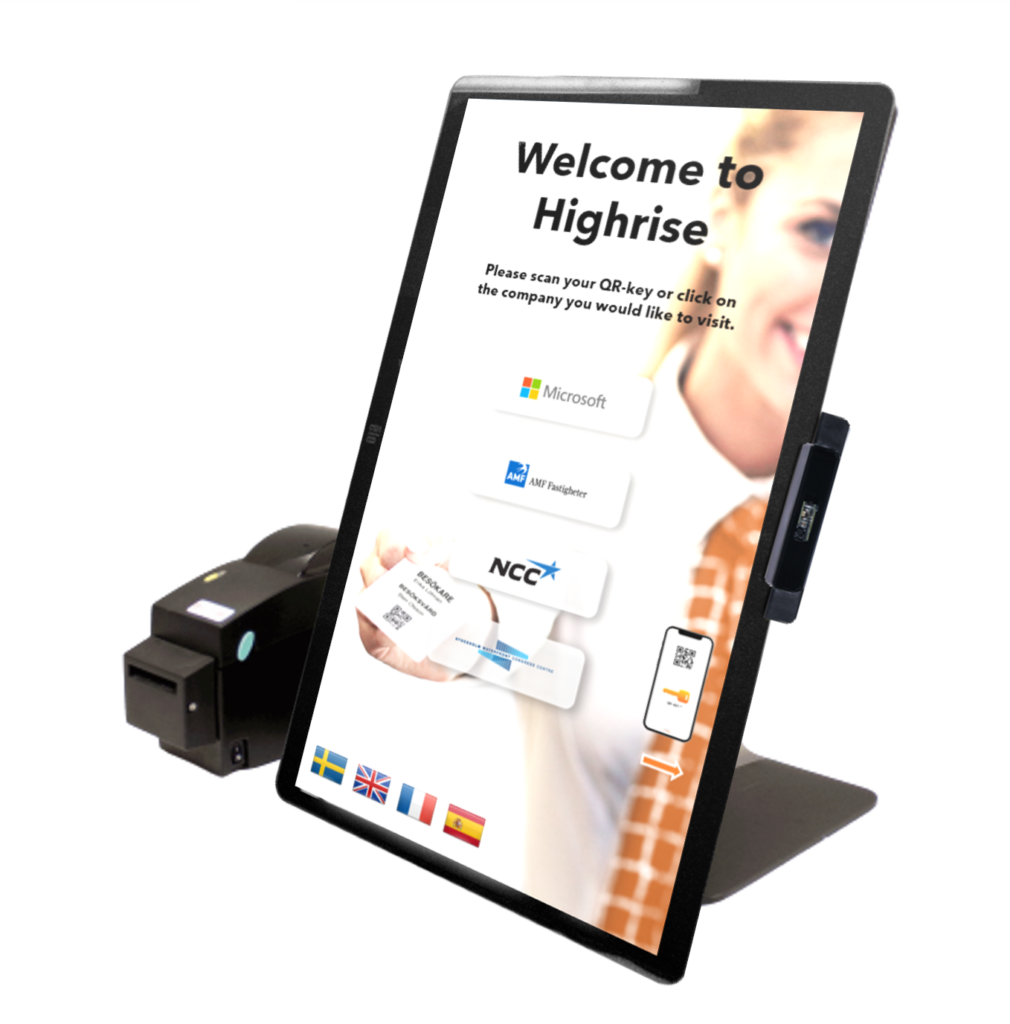
When a visitor requests a visit with a host via the CavVisit Enterprise Kiosk, there is now a feature that prevents a visitor badge from being printed until the host has approved the visit.
When the host has approved the visit, the visitor receives an SMS with a link to a QR code. The visitor shows the QR code to the QR reader on the kiosk, the visitor badge is printed and the visitor is checked in.
New feature for smooth handling of many visitors at conferences and large meetings
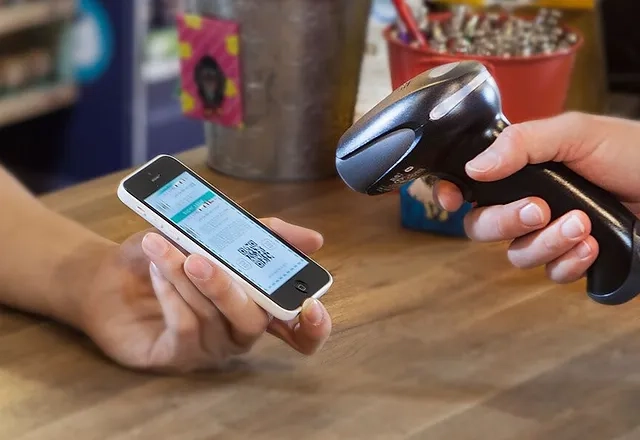
Checking in participants at larger meetings or conferences is now easy with a handheld QR reader.
For large meetings, a receptionist can print visitor badges in advance and lay them out on a table or similar. The visitor badge shows the visitor’s details (name etc.) and a unique QR code.
When visitors have collected their badge, the receptionist scans the QR code with the handheld QR code reader and the visitor is checked in.
When a group is checked in, only one SMS is sent, for the first person in the group to be checked in.
Because the system administrator can decide, per client (computer), whether visitor badges should be printed at check-in, no additional badges are printed at check-in.
New Pacom Unison sync supporting multiple sites in the same system – Enterprise Sync
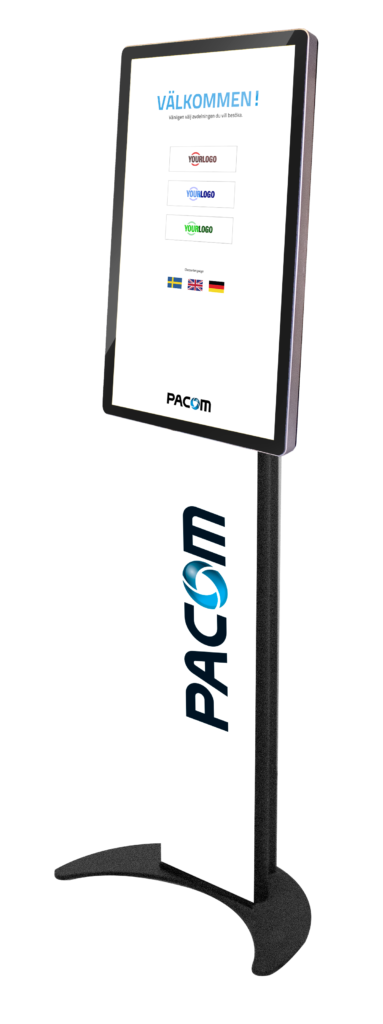
With the new Pacom Unison Enterprise Sync, the CavVisit visitor management system can retrieve hosts from a Unison database and synchronise them to several different CavVisit sites.
A site in CavVisit often represents a separate location. For example, a company may have three different physical offices or sites, and these three locations are set up as three sites in CavVisit. Each site then has its own settings, SMS, email, QR codes for card readers and so on.
The purpose of this feature is that employees in a Pacom Unison installation are created at several different sites and can therefore receive visitors at several of the company’s sites.
Further update in 1.3.4.12
- Several performance improvements have been made.
- Several security updates have been made.
- Several bug fixes have been made.
Release notes CavVisit 1.3.4.11
Support for different visitor terms
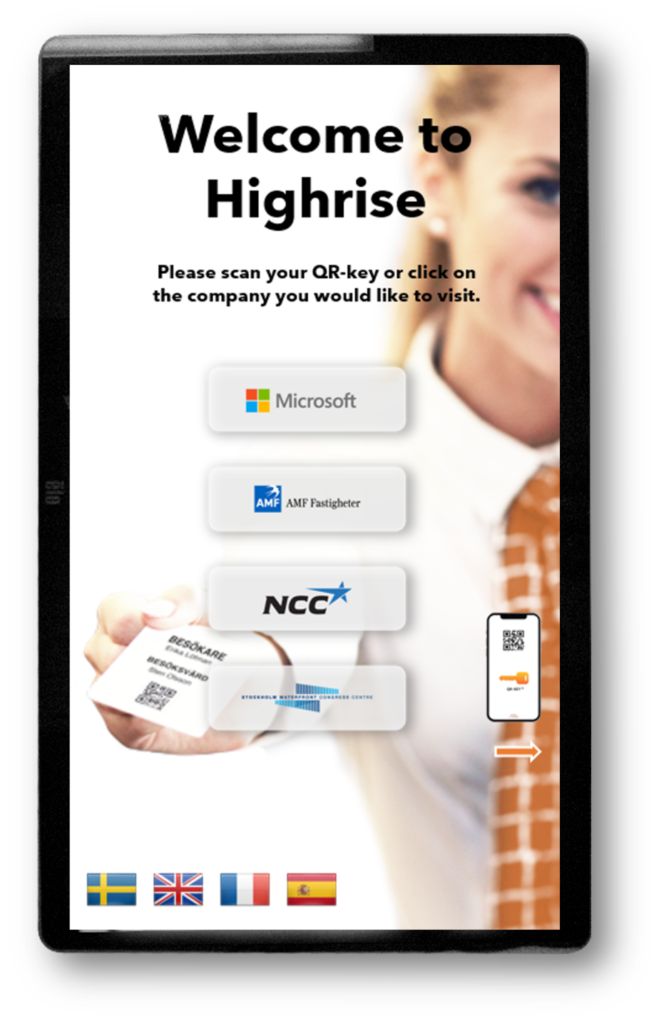
The CavVisit Enterprise Kiosk now offers the option of having different visitor terms for different sites on the same kiosk.
Extended Microsoft Entra ID integration
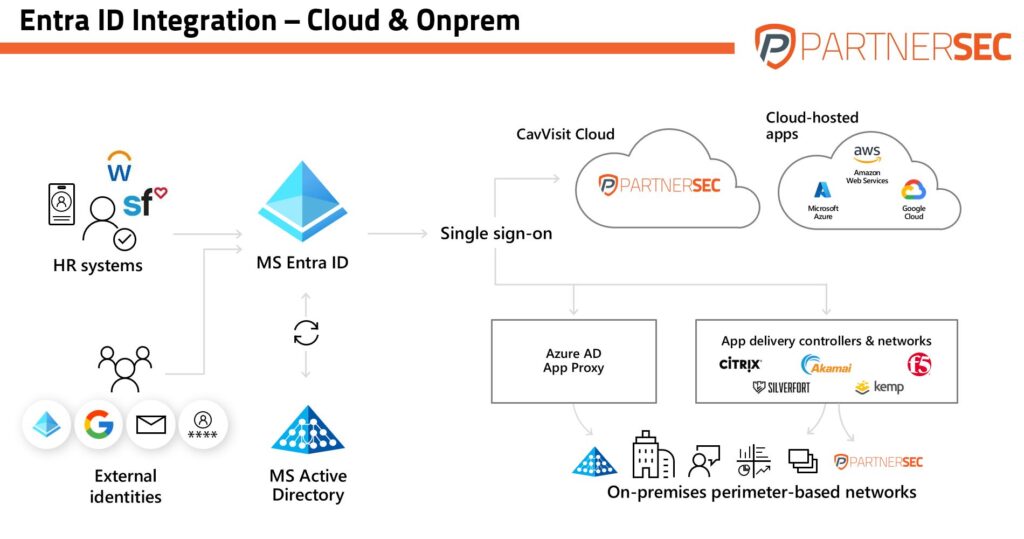
CavVisit has an extended Entra ID integration in which administrators and hosts identify themselves using their Microsoft Entra ID (Azure AD) identity and follow their organisation’s security standards.
Microsoft Entra ID (formerly Azure AD) is Microsoft’s platform for sign-in and identification in cloud-based systems and on-premises (locally installed) systems.
CavVisit automatically synchronises the contents of Entra ID groups containing administrators and hosts, keeping the system always up to date and secure.
Release notes CavVisit 1.3.4.10
Digital queue number in the digital queue system
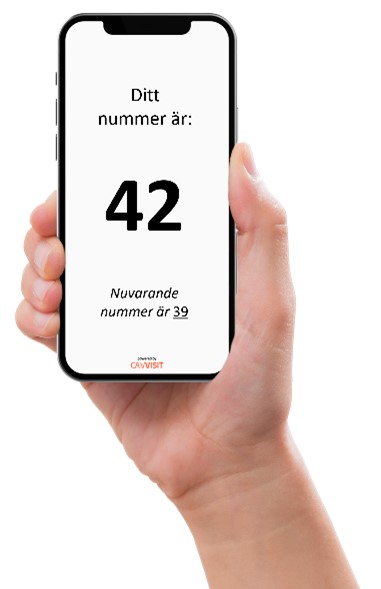
CavVisit has a built-in queue system, or queue ticket system, in which visitors can enter their mobile number at the visitor kiosk and receive an SMS with a link to their queue ticket. The link shows the current number and their own queue number. This way they do not need to wait in the lobby or reception for their turn but can leave the area; two numbers before it is their turn, they receive a new SMS saying it will soon be their turn and it is time to get ready.
Visitors can also press a button on a self-service kiosk to print a queue ticket with a clear queue number.
CavVisit’s administrative interface clearly shows how many visitors are in the queue and how long they have been waiting.
The queue numbers are clearly shown on one or more external screens facing the visitors. When a CavVisit user moves to the next number in the queue, the number on the screen that visitors see changes.
Digital queue screen
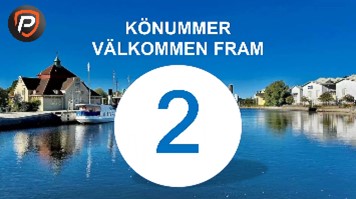
The digital queue screen shows the current number in the queue. When the number changes, the new number is displayed and a sound is played.
The digital queue screen is fully customisable graphically: you can choose the background, typeface, font sizes, number placement and much more.
Extended Enterprise Kiosk – multi-flow feature
The updated Enterprise Kiosk offers the option of adding several buttons to the Enterprise Kiosk linked to the same site. This makes it possible to set up different visitor flows on the same site for one and the same visitor kiosk.
Release notes CavVisit 1.3.4.9
Fully automated reception with a brand-new security sluice feature
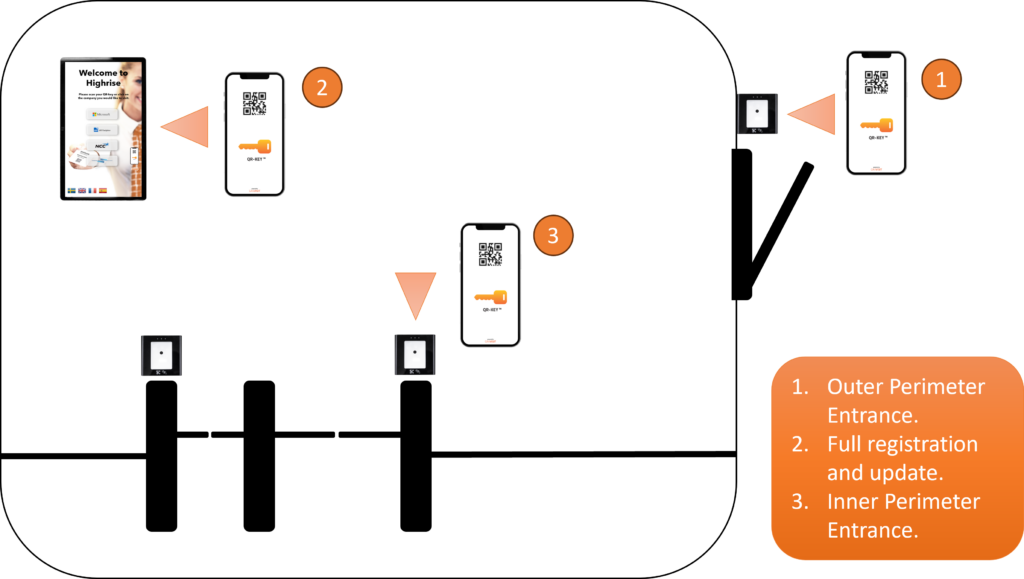
The new Security Sluice feature makes it possible for companies to give controlled access to visitors, contractors and couriers without having staff on site.
Pre-booked visitors will have access to the outer entrance using the PartnerSec QR key sent to them by email or SMS. Pre-booking is done with the CavVisit Cloud Outlook integration, Google Calendar integration, web portal, Admin client or RESTful API.
At the outer entrance (1), a QR-201 reader controls the electric lock on the door. This setup also works well with a security gate or barrier. The QR-201 is a combined QR code and Mifare card reader. Its purpose is to give access to visitors, contractors, couriers and employees alike: visitors and couriers use QR keys (PartnerSec QR codes), while employees use their Mifare RFID-based access cards and key fobs.
Unplanned visitors can request access using a weather-resistant visitor kiosk outside the building (1) or an internet-connected intercom with built-in video.
Visitors are first given access to the outer perimeter entrance and then proceed to the visitor kiosk (2) to fill in their details and register on site. Each site is set up in the CavVisit visitor management system with individual requirements that visitors must meet before access to the inner entrance is approved.
The QR key is activated at the inner entrance (3) only after the visitor or courier has registered at the visitor kiosk according to the site’s rules. The inner entrance can be a type of security door (speed gate, door or gate) controlled by a QR-201 reader.
Benefits for CavVisit Cloud customers: by using this feature, CavVisit Cloud customers can fully automate visitor management in premises that previously required staff on site. It is a visitor-friendly and cost-effective solution for managing security for visitors, contractors and hosts.
Integration with Cisco Wi-Fi (Identity Services Engine)
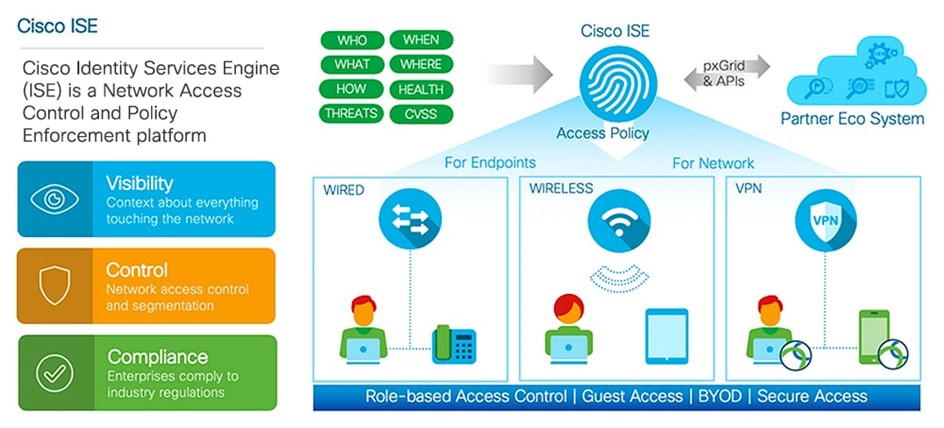
The Cisco Wi-Fi integration makes it possible for every visitor to receive individual credentials for the site’s Cisco Wi-Fi network. This allows sites using Cisco Wi-Fi to ensure that every access to the Wi-Fi network is time-limited and can be traced back to individual users.
The Wi-Fi credentials are either printed on the visitor badge or sent to the visitor by text message. The credentials are time-limited according to the length of the meeting. The Cisco Wi-Fi credentials are activated at check-in and deactivated at check-out.
In CavVisit Cloud, each site can have its own unique Cisco ISE credentials for requesting Wi-Fi credentials for visitors and contractors.
Benefits for CavVisit Cloud customers: customers with Cisco Wi-Fi can now restrict Wi-Fi access and use individual credentials instead of one shared code. Each code can be traced, so you know which user generated which traffic. The feature also reduces the risk of evil twin attacks, as it becomes known that credentials must be used. An evil twin attack is a type of man-in-the-middle (MitM) attack in which a fake Wi-Fi network is set up to steal information or further infiltrate a connected device. This often happens in public environments, where people are most likely to look for or connect to freely available Wi-Fi.
Integration with Lime CRM
The brand-new integration with Lime enables Lime CRM users to schedule events in Lime (meetings, conferences, etc.), and all visitors are created automatically in the CavVisit Cloud visitor management system.
Individual QR keys (QR codes for fast registration on the premises) are sent to each visitor and used on site to register. The visitor scans the QR key at the QR code reader on the visitor kiosk and is automatically registered for the meeting or conference. The visitor also receives an SMS welcoming them to the event.
Benefits for CavVisit Cloud customers: registration of invited visitors to events is quick and easy. Visitors simply scan their QR keys, are registered automatically, and Lime CRM is updated with their attendance data.
Email and Outlook integration with OAuth
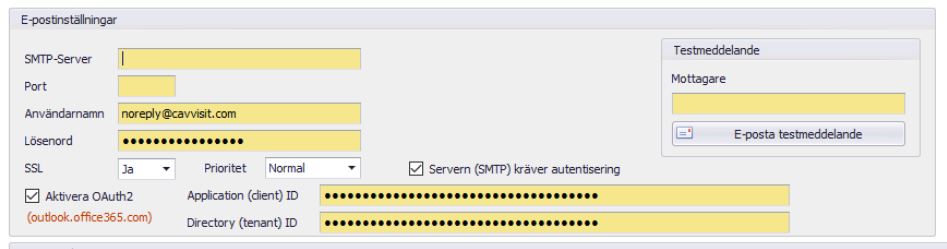
With the extended OAuth settings for the email and Outlook integration, CavVisit can communicate with Microsoft Office 365 servers using the OAuth protocol, offering encrypted communication and identification according to the latest standards.
Check-in with an ALPR camera
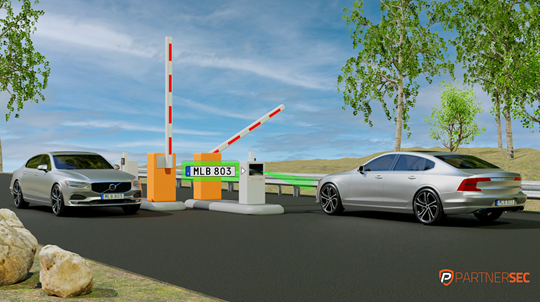
When a visitor arrives on site and passes an ALPR camera (Automatic Licence Plate Recognition camera), the camera reads the vehicle’s number plate, checks the visitor in and informs the host of the visitor’s arrival by email and SMS.
When a visitor receives an invitation to a site that uses CavVisit Cloud with the new ALPR check-in feature, they can enter their registration number (along with other information) in the pre-registration that is sent to them together with the invitation.
When the visitor arrives on site by car, the ALPR camera automatically reads the number plate on the visitor’s car, checks them in to CavVisit and opens the barrier or gate. If the site also uses QR-201 QR readers for perimeter security, the visitor receives a QR key by SMS that is now activated in the QR readers on site. The visitor’s host is automatically notified of their arrival by SMS/email. These solutions require the CavVisit Cloud visitor management system to use the CampTrac integration.
Benefits for CavVisit Cloud customers: CavVisit Cloud customers can give visitors’ vehicles access to locked parking areas and car parks. It also speeds up registration and notifies the host when the car enters the car park, so the host can quickly go to the meeting point and receive the visitor – improving the visitor’s experience of the company and of how you welcome your visitors.
New dashboard
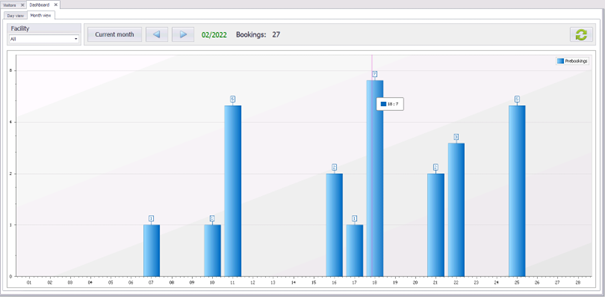
A new dashboard containing a general overview of meetings, giving the reception supervisor an overview of the current situation at the site (or sites).
And a second view showing upcoming pre-booked meetings (second image). This view is used to plan how many staff are needed in the coming days, week or month based on the number of pre-booked visitors expected.
Benefits for CavVisit Cloud customers: this feature enables receptionists to plan their work ahead. By looking at this tool, they will know whether they will have many or few visitors during a period and can plan for more or fewer reception staff to handle visitors. It is a tool for planning, efficiency and cost savings.
Emergency evacuation feature
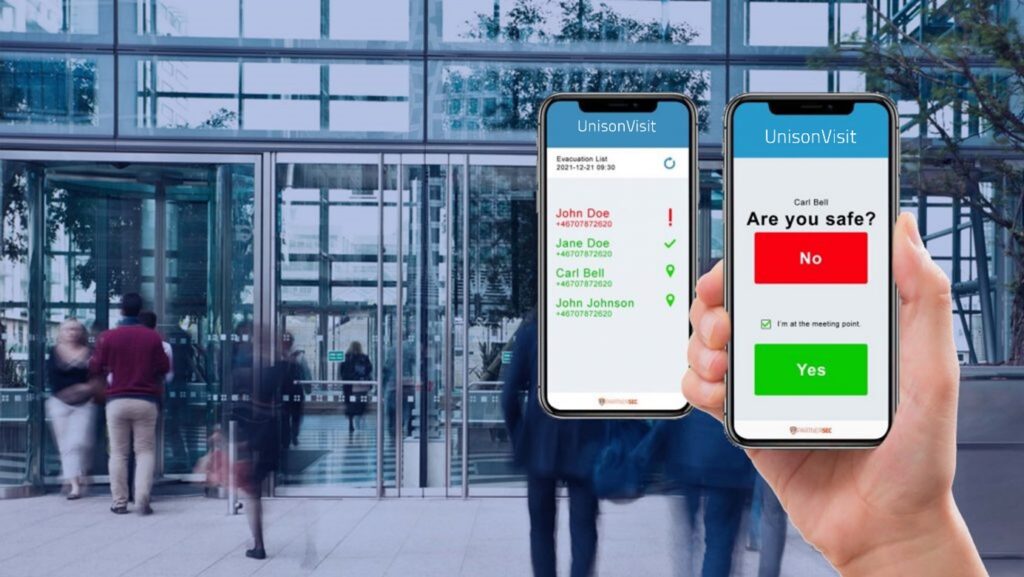
The emergency evacuation feature enables secure tracking and management of visitors and staff in an emergency.
When the evacuation feature is activated, the evacuation system sends individual SMS messages with individual self-service links, maps and instructions to all visitors. Administrators and emergency personnel can see the status and location of everyone on site in real time, along with their contact details, so that they can contact those who have not reported their status or have not yet reached the assembly point.
The evacuation system is a self-service system, which means that everyone on site receives a personalised SMS with instructions and links that make it clear that the evacuation alarm applies to them and must not be ignored.
The system gives fire safety managers and evacuation officers a very clear tool in which they can see exactly everyone on site, their status (what they have reported via the evacuation portal) and their contact details, so they can easily search for everyone but also prioritise those who have not yet updated their status.
Benefits for CavVisit Cloud customers: it guarantees that all visitors and staff are informed that the alarm applies to them. These tools enable security officers and security managers to see all visitors and staff on site and to track and contact them. It is a tool that automatically meets safety requirements and ensures they are followed, automatically and in time, in an emergency.
Real-time update of everyone on site
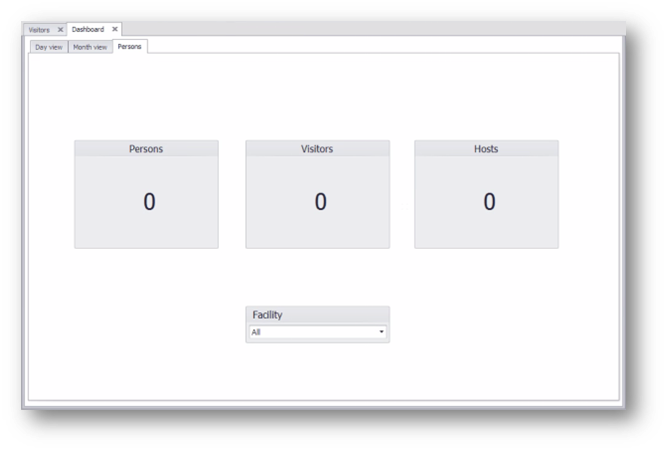
The brand-new people counter gives CavVisit Cloud customers an overview of how many people are at a specific location.
The counter allows security staff and receptionists to see how many people are on site and to make sure the site is not overcrowded or that there are not too many visitors or staff in one place.
This feature in CavVisit Cloud requires the use of the CampTrac access control system and an integration between the customer’s current access control system and the CampTrac RESTful API.
Benefits for CavVisit Cloud customers: security managers can ensure that the site is not overcrowded under local regulations. In an emergency, it is also easy for security staff to know how many people they are looking for and whether they are staff or visitors.
Updated Enterprise Kiosk
The Enterprise Kiosk has undergone several updates to both functionality and performance.
The Enterprise Kiosk now allows both multi-line titles and multi-line subtitles. This means you can use long sentences by splitting them over several lines on the Enterprise Kiosk while keeping an elegant look.
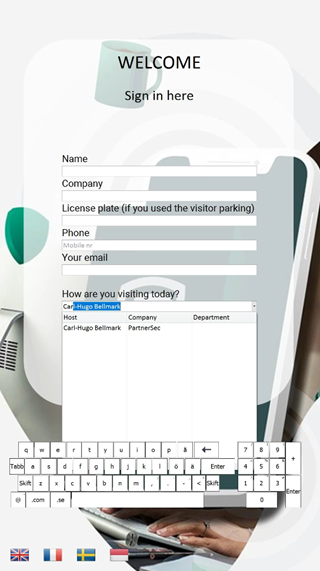
There is a new security feature in the Enterprise Kiosk that requires visitors to enter the first three letters of a host’s name before they can see the host’s full name and request a meeting with them.
This security feature requires visitors to know the name of the person they are visiting, rather than simply choosing a random name from a freely available list.
New integration with KONE's destination control system
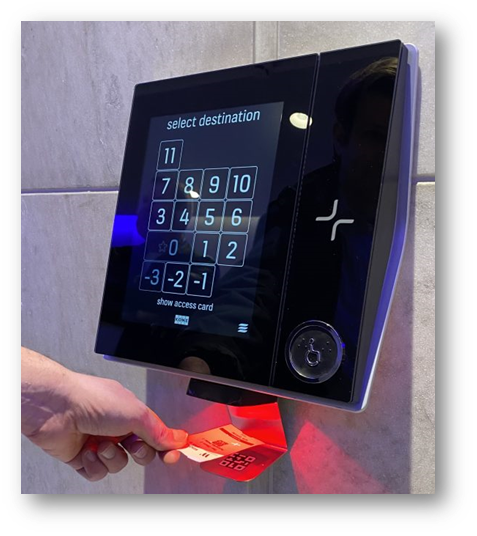
KONE’s destination control system directs people to a specific lift (lift A, B, C and so on) and sends them to the floor they are going to. People must select the floor they want on a tablet on the ground floor; they cannot enter a random lift and press a floor button. This system enables higher throughput of people travelling in the lifts and faster movement between floors.
In the new CavVisit-to-KONE integration, visitors register at a kiosk on the ground floor. When the visitor selects a host, the system automatically knows which floor the host is on. A paper badge is printed (or a virtual visitor badge is sent by SMS) with a QR code. The QR code is used at the tablets on the ground floor that control the lifts, and a lift takes the visitor to the correct floor.
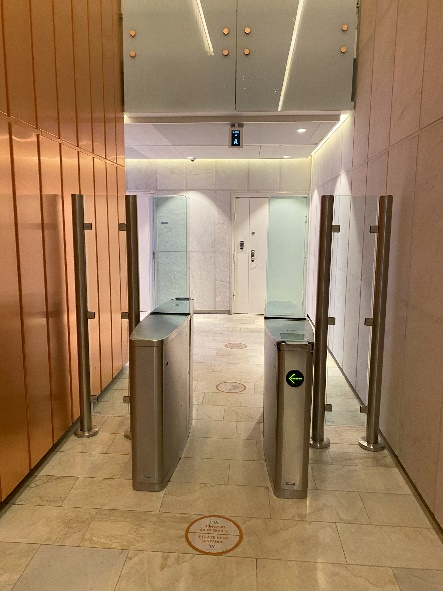
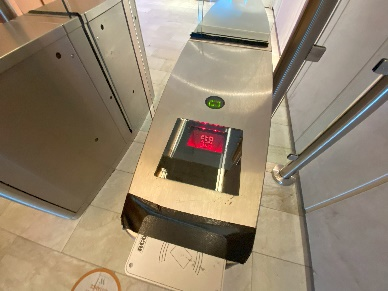
Combined with speed gates: the QR code lets visitors pass through speed gates with QR code readers on the ground floor, and when the QR code is read at the speed gate, a lift is called automatically and is waiting for the visitor when they reach the lifts.
Visitor badges with QR codes receive access rights and “home floors” in KONE depending on the settings in CavVisit.
Visitors receive QR codes from the CavVisit visitor management system, which then automatically guide them to the right floor using the most efficient lift.
CavVisit’s new self-service kiosk automates all visitor management together with KONE.
Benefits for CavVisit Cloud customers: thanks to KONE’s new destination platform combined with the CavVisit visitor management system, the efficiency of existing lifts can increase so much that the property owner does not need to invest in more lifts to gain capacity. With the visitor management system’s new integration with KONE’s latest destination platform, entrance security is automated for both employees and visitors. This feature is based on cost savings, higher security and reduced administration.
Integration with HP Aruba ClearPass
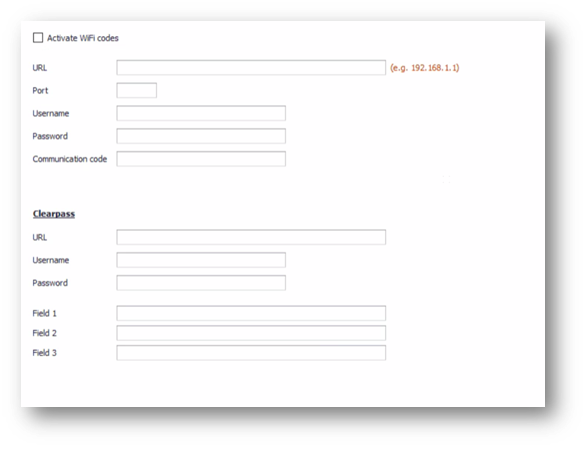
Guest Wi-Fi code on the visitor badge and in the SMS. Integration with HP Aruba ClearPass for Wi-Fi codes that can be printed on visitor badges or sent by SMS. The Wi-Fi code is unique per visitor and traceable.
Updated scheduling for CavVisit self-registration and kiosks
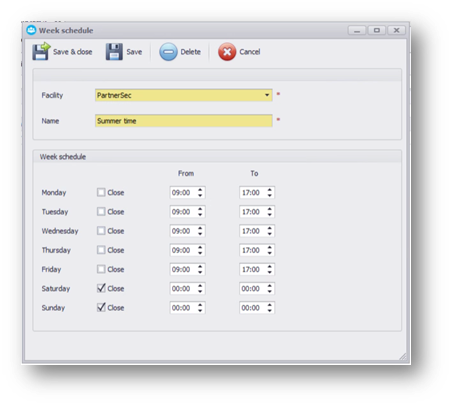
You can now schedule the times of day when the kiosks are available for registration. When they are closed according to the schedule, they show a separate message (for example: “Self-registration is currently closed. Welcome back tomorrow.”)
Additional translation options in the web pre-registration
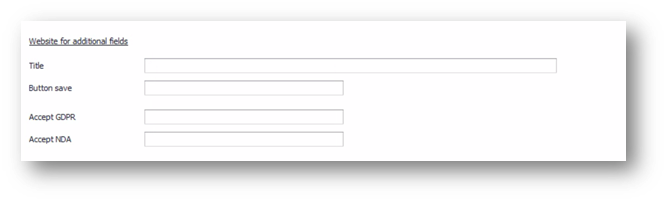
You can now translate the web pre-registration into the language you want. Previously, only English was available.
Further update in 1.3.4.9
- Several performance improvements have been made.
- Several security updates have been made.
- Several bug fixes have been made.
- Encryption improvements.
Release notes CavVisit 1.3.4.8
1. Minor update to the CavVisit AD integration. Extended logging and bug fixes.
2. The CavVisit Admin client now prints from memory instead of creating a file in the Documents folder. This applies to both single visitor printouts and group visit printouts. The feature improves security, as Windows users of the PC running the CavVisit Admin client no longer need write/modify/delete permissions for the program folder.
3. New MSI package for server and client installation.
4. Security updates for the CavVisit web-based Host Portal. Updated Java framework and other security fixes.
5. Security updates for the CavVisit client. Built-in support for TLS 1.2 and TLS 1.3.
6. Updated RCO integration (RCO RESTful API).
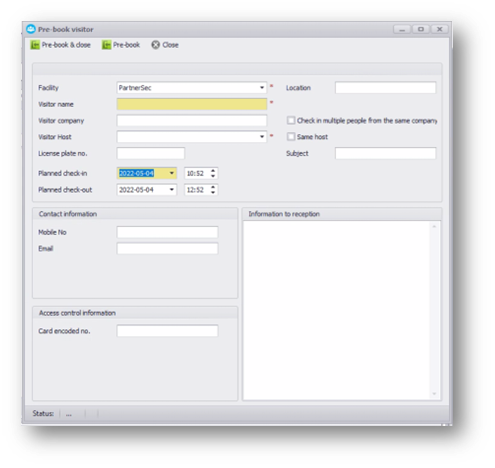
7. Minor update to the pre-booking view in the Admin client. By default, the “Planned check-out” date is set to the same date as “Planned check-in” when the user enters “Planned check-in” for the first time.
8. Minor update to the CavVisit web-based Host Portal. By default, the “Planned check-out” date is set to the same date as “Planned check-in”.
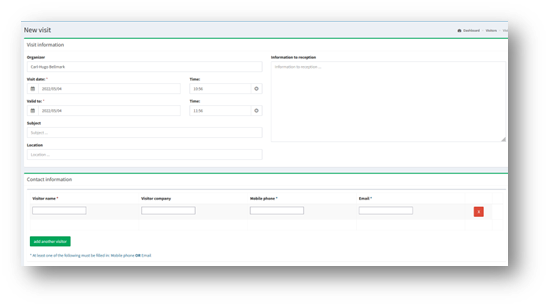
9. Security updates to the CavVisit web-based Host Portal. Updated Java framework and .NET version.
10. Updated import function in the Admin client. All fields are now validated, as is the Excel XLSX format.
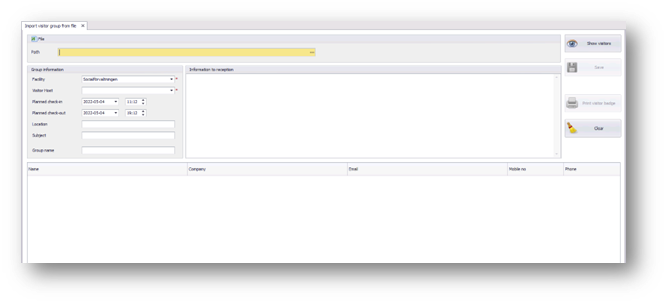
11. Updated encryption standard and updated .NET Framework for the Admin client.
12. Queue system (right in the image)
The brand-new built-in queue system lets the customer define one or more facilities in CavVisit as a “queue facility”. The visitor can then choose to print a queue ticket from the Enterprise Kiosk. Note that the Enterprise Kiosk can handle several different “queue facilities” if the customer wants to set up different queues for different purposes. The feature is very practical for receptions handling walk-ins – people who come to reception with an errand but do not know whom to visit or where to go. By taking a queue ticket, the visitor gets a printed paper badge with a queue number, and the number is shown on a large screen when it is their turn.
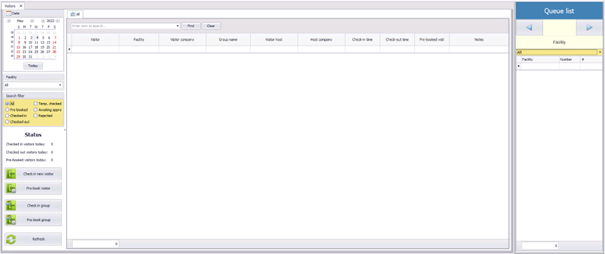
The receptionist/administrator sees all queues and how long each number has been waiting, and can easily change the number from the CavVisit Admin client.
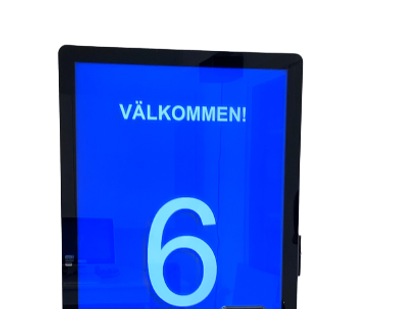
13. Improved Active Directory feature (group in group)
14. Added SMS and email variables to include all visitor and host fields.
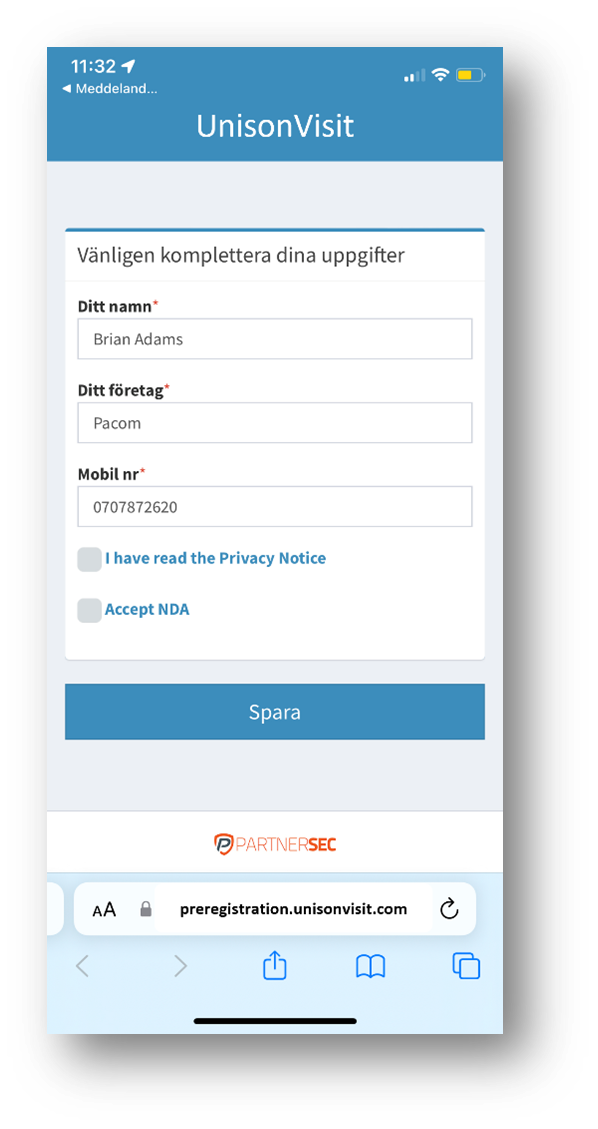
15. Web-based pre-registration of pre-booked visitors – applies when using the MS Outlook and Google Calendar integrations and pre-booking from the Admin client.
A web link can be sent in the invitation so that visitors can pre-register and accept the required document if needed. This enables faster check-in when the visitor arrives at the kiosk. The kiosk automatically recognises whether the visitor has filled in all mandatory fields, prints the visitor badge, checks the visitor in and notifies the host by SMS and email.
16. Bug fixes.
CavVisit visitor management system version 1.3.4.5
- Updated the visitor management system’s REST API with new commands.
- Added GDPR approval for administrators in the visitor management system.
- Added a queue and ticket system as part of the standard functionality of the visitor management system.
- Added a “Help” function to the Enterprise self check-in kiosk. Visitors can press the help button and get assistance from an administrator.
- Added lots of upgrades to the Enterprise self-service kiosk to include full configuration options for the most complex solutions. This self-service kiosk is the most flexible self-registration kiosk in the visitor management system.
- Added the “Reply to SMS” function, which lets visitors and hosts write to each other by SMS after check-in without exposing either party’s mobile number, which is hidden by our unique SMS gateway that is part of the visitor management system.
- QR key check-in and check-out are now supported in all self-service kiosks.
- Updated MS Active Directory integration to include group-in-group and all fields in Active Directory profiles.
- Web users are now created automatically in the web portal based on Active Directory rules.
- Invitations can now be printed on paper with the address and other details automatically placed correctly for window envelopes. The administrator/receptionist can print documents such as paper invitations (for people who need a letter rather than email and SMS) that automatically include visit and host data. This function is also used to print various types of agreements that visitors need to sign before they are allowed in.
- Integration with HP Aruba for Wi-Fi codes printed on visitor badges. The codes are unique per visitor and traceable.
- Added a function to self-service kiosks that guides visitors to the right site if they try to check in to the wrong site.
- Fixed bugs and translation issues.
CavVisit visitor management system version 1.3.4.1
- New feature – global search for hosts. The global host search helps receptionists or administrators working in multi-tenant properties search for hosts across all the sites they have access to. This is a very useful feature when a visitor is looking for a host but only knows some of the host’s details, such as first name, last name, company, email or similar. The receptionist can then search all sites in the visitor management system by entering just one of the host’s details to find them. Around this feature there are a number of functions, such as shortcuts to create new meetings, edit host details and so on.
- New feature – change the design of the user interface. Reception/admin users of the visitor management system can now change the design of the interface by selecting “Themes” on the dashboard and choosing between more than 20 different designs.
All the way to the finish line
CavVisit visitor management system version 1.3.3.0
CavVisit visitor management system 1.3.3.0
- The position of the virtual keyboard on the visitor management system’s self-registration screen can be controlled directly from CavVisit using X and Y coordinates.
- The administrator/receptionist can correct a mobile number entered incorrectly by a visitor and resend SMS/email for a visit. Example: if a visitor enters the wrong mobile number at a self-registration kiosk, a receptionist/administrator can change the number in the admin client and press “Send SMS”, and the visitor receives an SMS with the information. The same applies to email.
- New feature to clarify the difference between the visitor’s planned arrival and actual arrival.
- More settings for autofill of host names at the self-registration kiosk. Example: visitors can now be required to enter the full first name and the first three letters of the surname before the host’s full name is shown.
- Button for clearing the host selection at the self-registration kiosk.
- Reception can now temporarily check out visitors from the admin client, both via a QR reader and with the mouse.
- Visitors whose visits span several days are now visible in the visitor list on each day of their defined stay.
- The touch kiosk where visitors can choose to subscribe to different facilities has been renamed the Enterprise Kiosk, to better reflect its functionality.
- Unison – improved integration with Unison for check-in and check-out via the reception client.
- Unison – you can now create card numbers in Unison manually or automatically using any field in the visit. Example: a personal identity number can now become an access card in Unison, or the consignment number on a delivery note can become an access card in Unison.
- Unison – extended functionality in the ID card ordering kiosk.
- Extended functionality for touchscreen signing.
- Extended functionality in the RCO integration.
- Updated automatic synchronisation between UnisonVisit and CampTrac.
- Performance improvements.
- Adjusted translations and changed languages.
- Extended GDPR functionality.
- Corrections to reports.
- Several minor bug fixes.
CavVisit visitor management system version 1.3.2.1
- Translations under general settings / web portal in the visitor management system.
- In the visitor management system’s REST API, the customer ID can now be entered manually.
- Bug fix in the self check-in kiosk: the window with extra fields is now always on top.
- Bug fix: group check-in and group check-out now send SMS to the visitor’s host.
CavVisit visitor management system version 1.3.2.0
- New kiosk in the visitor management system: the card loan kiosk integrated with the Unison access control system. An existing access card can be temporarily blocked and a temporary loan card issued, and the access card can be reactivated.
- New MSI packages for the visitor management system.
- Option to choose the date format for email messages.
- New “optional checkbox fields” in the self check-in and self-registration kiosks, letting visitors confirm questions before the visit, e.g. by ticking “I have a mobile phone” or “I understand that I am not allowed to bring a USB stick during my visit”.
- Option to print completed “optional checkbox fields” on a visitor label.
- Updated synchronisation between CampTrac and CavVisit, where visitor receipts in CampTrac that are closed are deactivated and anonymised in UnisonVisit.
- Image fields, image time settings and the image visitor list moved from general settings to site settings.
- Extended CavVisit API for adding, changing and deleting hosts and companies.
Bug fixes.
CavVisit visitor management system version 1.3.0.0
PartnerSec has now released version 1.3 of the automatic visitor management system CavVisit. CavVisit can now be used as a visitor management system for unmanned receptions.
The brand-new CavVisit 1.3 is made for modern, advanced organisations that want to give their visitors the world’s best first impression and create a seamless flow for handling visitors professionally.
The new version 1.3 includes:
- Multi-site support. The system is now adapted for use at several locations at the same time. The visitor management system works equally well in staffed and unstaffed receptions.
- Multi-floor support with support for several companies, suitable for property owners letting office space in high-rise buildings.
- Virtual keys. Visitors receive virtual QR keys, a unique type of QR code used to automate arrival registration and open doors in properties connected to the PartnerSec CampTrac APV system.
- MS Outlook integration. CavVisit automatically detects meeting invitations in MS Outlook, creates them in the system and sends them out as QR codes for self-service on arrival.
- Google Calendar integration. CavVisit automatically detects meeting invitations in Google Calendar, creates them in the system and sends them out as QR codes for self-service on arrival.
- Design mode for self-service kiosks. Self-service kiosks can now be configured to match the company’s brand guidelines exactly. Images, colours, fonts, sizes and text placement can all be changed.
- Slack integration. The administrator can now create a Slack channel in the visitor management system that shows all messages about arriving visitors.
- Visitor registration kiosk with virtual keyboard. CavVisit now has a brand-new kiosk type made for large touchscreens with a virtual keyboard (24- to 64-inch touchscreens).
- Visitor kiosk with multiple company choices. The brand-new touchscreen visitor kiosk can be set up so that users first select which company they are visiting (by tapping its logo or company name) and then enter their details.
- Automatic check-in and check-out. When the CavVisit visitor management system is used together with PartnerSec’s CampTrac APV system, visitors can use QR codes to check in with the new QR-201 reader and to check out.
- Visit request feature. This feature lets visitors register as visitors (when they have not been pre-registered by a host) on the brand-new touchscreen, and a request for approval of the visit is sent to the host by SMS. Only when the host has approved the request will the visitor be given access.
- Automatic meeting reminders. A new service can automatically remind visitors of their meeting. The reminder can be scheduled per site.
- Single sign-on for receptionists and administrators. Windows Active Directory IDs can now be registered in a receptionist’s or administrator’s user profile to enable single sign-on.
- NDA & GDPR agreements. All new interfaces are designed so that visitors can accept NDA and GDPR agreements.